
Write an article for your hotel



Create a website article from your hotel information, then edit the text and choose its images.
Use Articles for a piece that needs room to explain something: a guide to a weekend, a restaurant story or a useful answer for guests planning a stay. Give Lumina the topic and the reader, then review the plan before it writes the draft.
In Lumina Open Articles under Create in the sidebar.
On this page
Choose an angle before a title
Start with the question the article should answer and the hotel knowledge that makes the answer useful. Include the intended guest, language and any required facts or links.
You can begin in Articles or carry an opportunity from Search or Website into the work. Review the attached context so the request keeps the right source.
Generate and review
- Enter the article brief and review the available Settings and Context.
- Select See the plan and review the Creative brief. If you change the brief or settings, use Update plan.
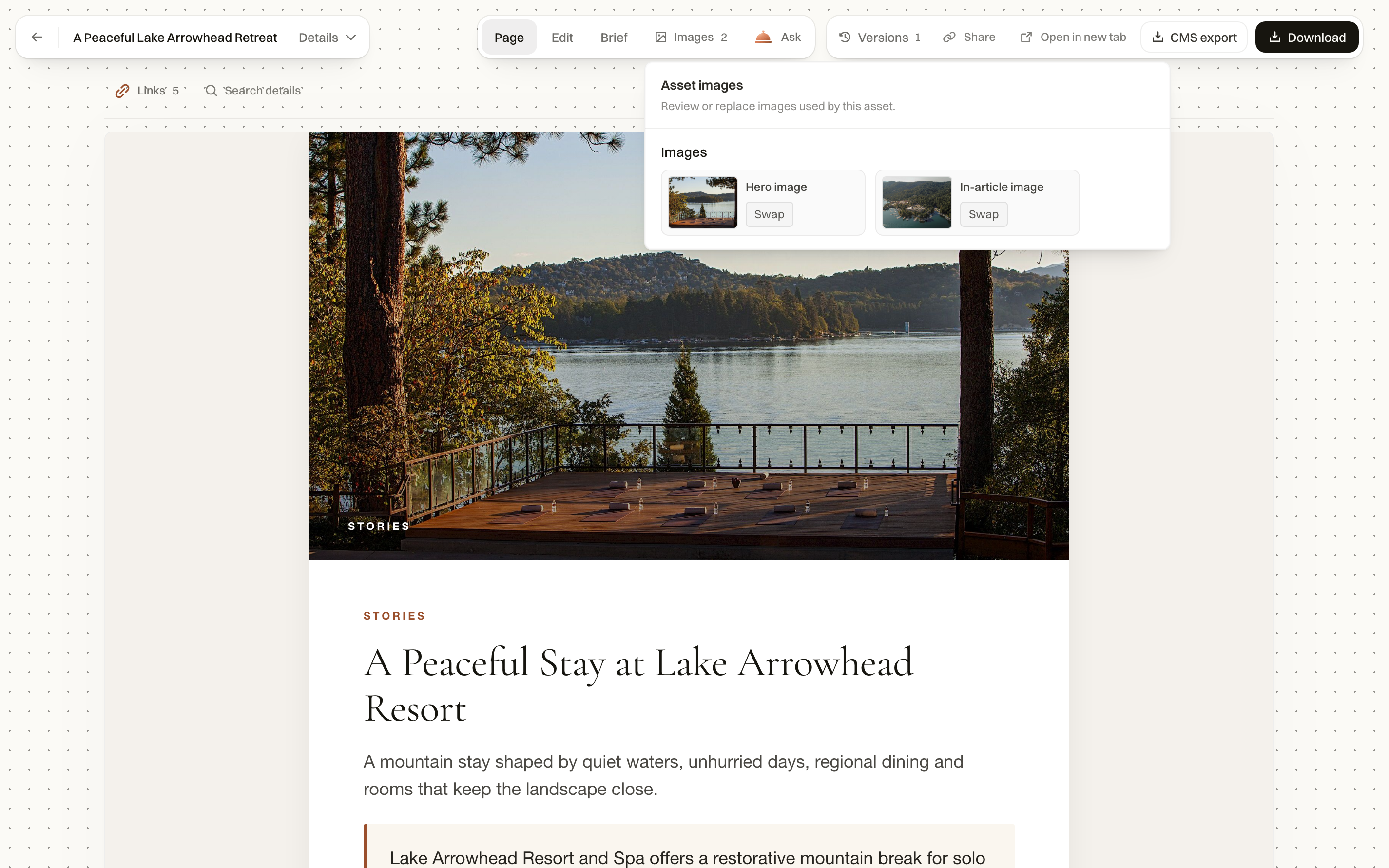
- Select Create draft, then inspect the result in its preview.
- Use Page to read the rendered result.
- Open Edit to work on the text. Use the adjacent Images controls when the article includes image slots.
- Review Brief, Links and Search details where the result exposes them.
- Save, then use Download or CMS export where available.
Revise without losing the thread
Ask for a specific change from the article itself: shorten the opening, correct a room detail or adapt a section for another guest type. Review the complete page after a local edit.
Use Versions to inspect an earlier saved state. Restoring content should be followed by a full read, especially if the brief or source facts changed later.
Prepare for your website
Check heading structure, destinations of links, image choices and metadata. CMS export packages the available content; your website’s publishing workflow still determines what appears live.
Common questions
Can I start from the hotel’s research?
Yes. You can begin in Articles or bring an opportunity from Search or Website into the creation workflow. Check the attached information before creating the draft.
Can I change just one paragraph?
Open the piece and use Edit, or ask for a specific revision from the piece. For example: “Shorten the opening and keep the restaurant name unchanged.”