
Review the pages of your hotel website





See how website pages fit together, read their content and inspect what needs attention.
Sitemap is a visual map of a hotel website. Open a page to see its content and findings. You can also inspect the template and guest versions available for that page. This feature must be enabled for your workspace.
In Lumina Open Sitemap from Atelier, if it is enabled.
On this page
Read the structure
Sitemap shows the pages and page types of the connected hotel website. Use the map controls to move through the hierarchy, change the zoom and inspect related pages.
This view is available only when Sitemap is enabled for the workspace. If you do not see it, use Intelligence, then Website for the available page analysis.
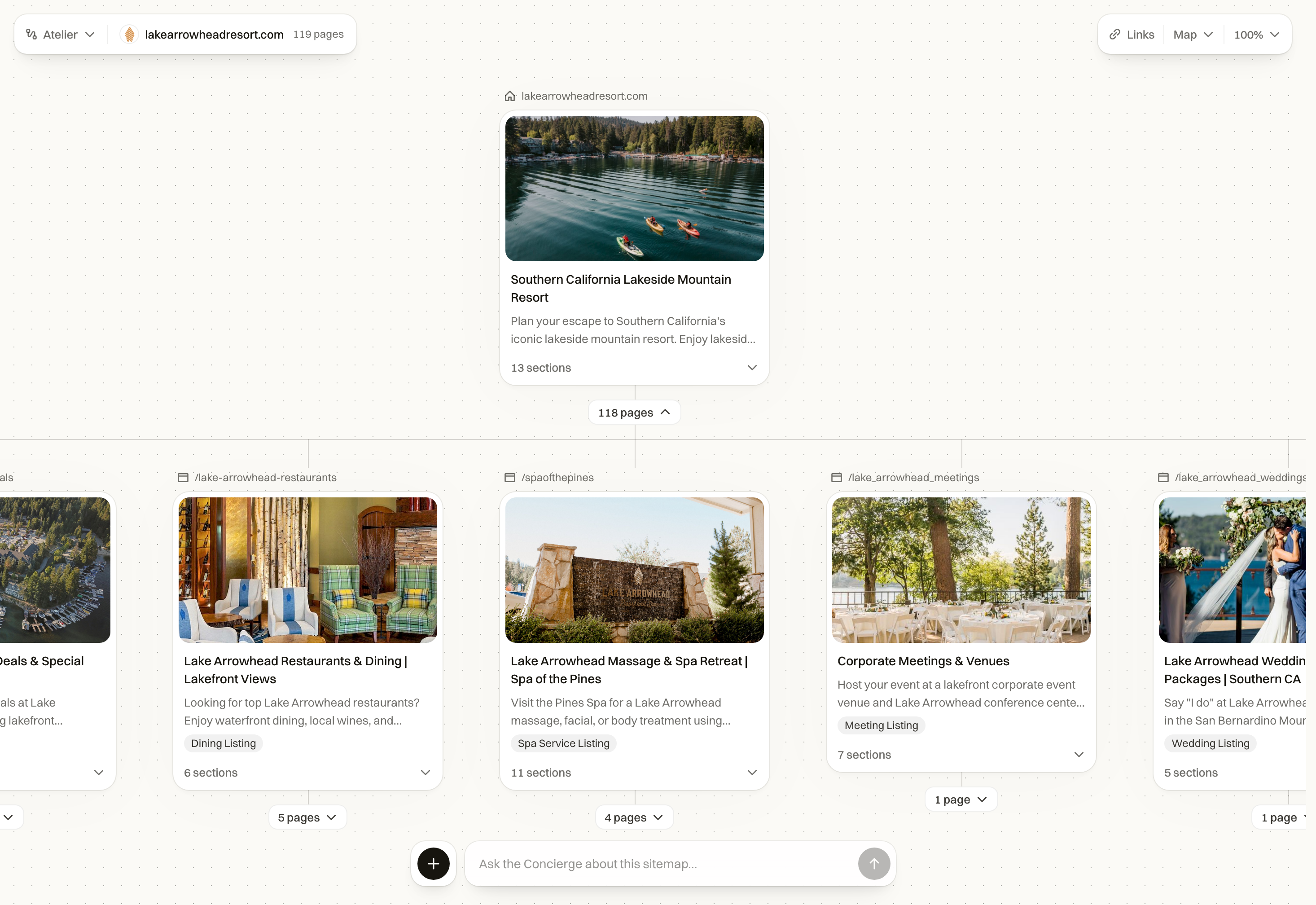
Open a page
- Select a page in the map.
- Use Content to read the captured page.
- Use Audit to inspect the page’s analysis.
- Where available, choose Improve this page to start a revised draft. Review the draft in the editor.
- At the foot of Content, inspect Template and guest versions where available.
- Return to the map to continue with another page of the same type.
Reuse the page type deliberately
A page type lets related pages share a structure. Check both the common template and the content specific to the current page. A restaurant page and a room page need different information even when they share the hotel’s identity.
Changes in this workspace still need review and the appropriate export or publishing step. A changed template is not proof that the live website has changed.
Common questions
How do I improve a page from the map?
Open the page to read its content and audit. Where available, choose Improve this page to start a revised draft, then review it in the editor.
Why can’t I see Sitemap?
The feature must be enabled for your workspace. Ask your workspace administrator about access. You can still use the available website research in Intelligence.