
Ask Concierge about your hotel





Use your hotel research to answer a question or improve the content you are working on.
Concierge helps you think through hotel marketing with the relevant information in reach. Ask it to explain guest feedback, compare guest types or improve a piece of content. Open it from a review, chart or piece of content to continue with the information you were looking at.
In Lumina Open Concierge in the sidebar.
On this page
Start with a question
Concierge works with the selected hotel’s context. Ask for an explanation of a guest theme, compare audiences or develop a campaign angle. A useful question names the decision you are trying to make.
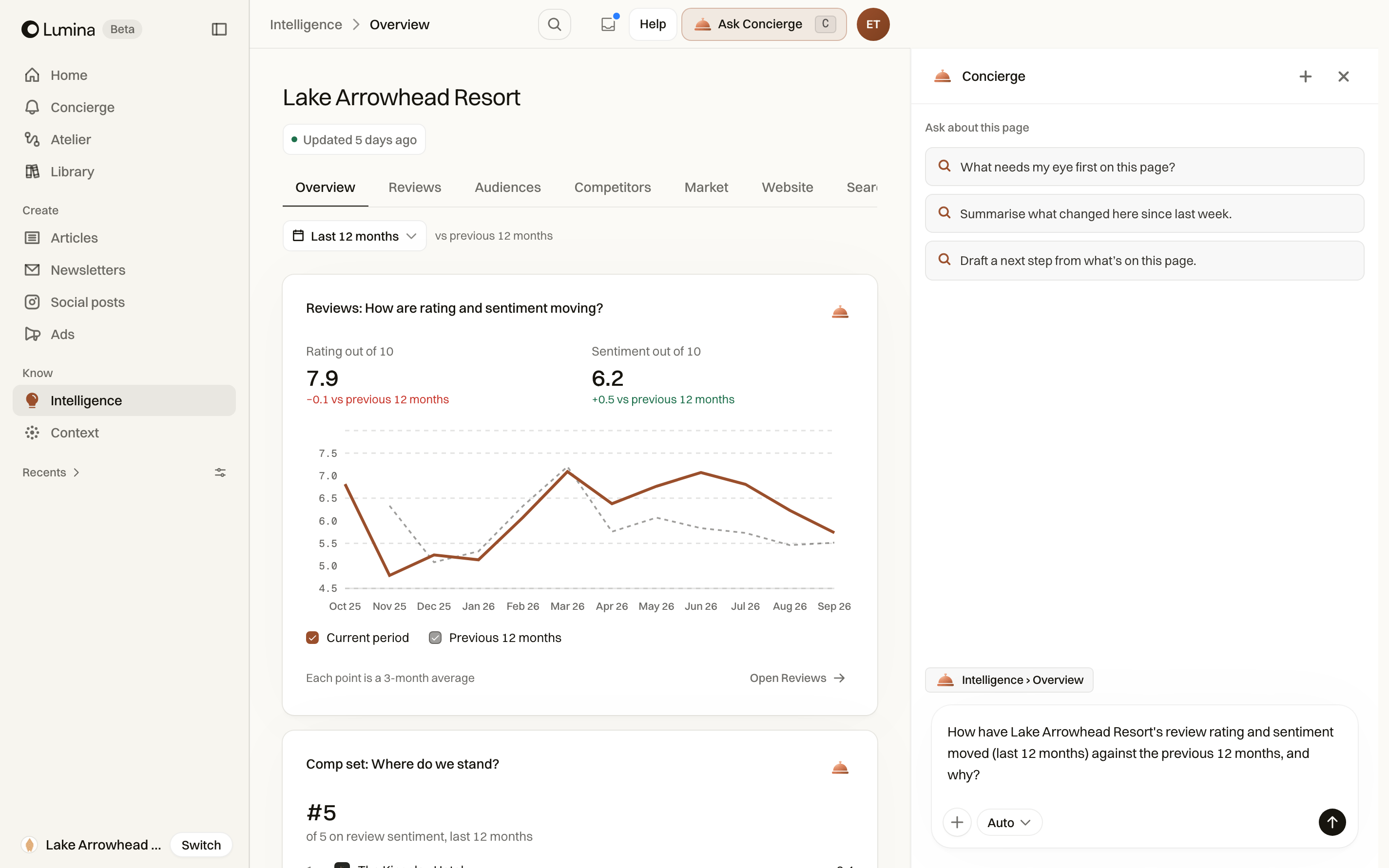
When you open Concierge from a chart, table or review, it receives the relevant information you were looking at. You can continue the conversation without rewriting the table or review you were looking at.
Choose the depth of the answer
Use Auto, Fast or Thorough in the mode picker. Auto chooses the approach; Fast is useful for a direct question; Thorough gives the request more room for investigation.
Open the + menu for Add files or photos, Add from Context, or Deep Research. Deep Research is a separate request for a cited report from live web research. Review the report’s sources and dates before using its claims.
Ask about the work you have open
Use the Ask control inside a piece to request a copy change. Use Concierge inside an Atelier canvas to change its brief, connections or outputs. Use the contextual action on a review or chart to ask about that evidence.
The general Ask Concierge button in the app header opens Concierge. It does not automatically give the assistant editing control over everything on the page. For a picture change, use the piece’s Images controls; a copy revision does not replace the picture.
Bring supporting material
Attach a relevant file when a question depends on information outside the hotel’s stored context. Explain what you want extracted, compared or used. A spreadsheet request should name the columns and the decision, rather than just asking for “insights”.
A file in a conversation is not the same thing as a maintained hotel source. Use Context and Property setup for material that should remain part of the hotel’s knowledge.
Continue later
Return through Recents to continue the same thread. Rename a conversation when the default title no longer makes its purpose clear. Pin the ones you use repeatedly.
For lasting writing preferences, review the notes in Context, then Learned. A correction in a conversation and a kept rule have different lifetimes.
Common questions
What can I ask Concierge?
Ask a question you would put to someone helping with hotel marketing. For example: “What do couples value about our rooms?” or “Help me shorten the opening of this newsletter.”
Can I add a document?
Yes. Open the plus menu and choose Add files or photos, or Add from Context for a document already in the workspace. Say what you want Concierge to do with it.