
Find and improve a website page





Read a page’s findings, request a revision and review the result before updating your website.
Website research helps you move from a general concern to a specific page. Find the page you want to improve, read what it currently says and ask Lumina for a revision based on your hotel’s information.
In Lumina Open Intelligence and choose Website.
On this page
Open the page behind the summary
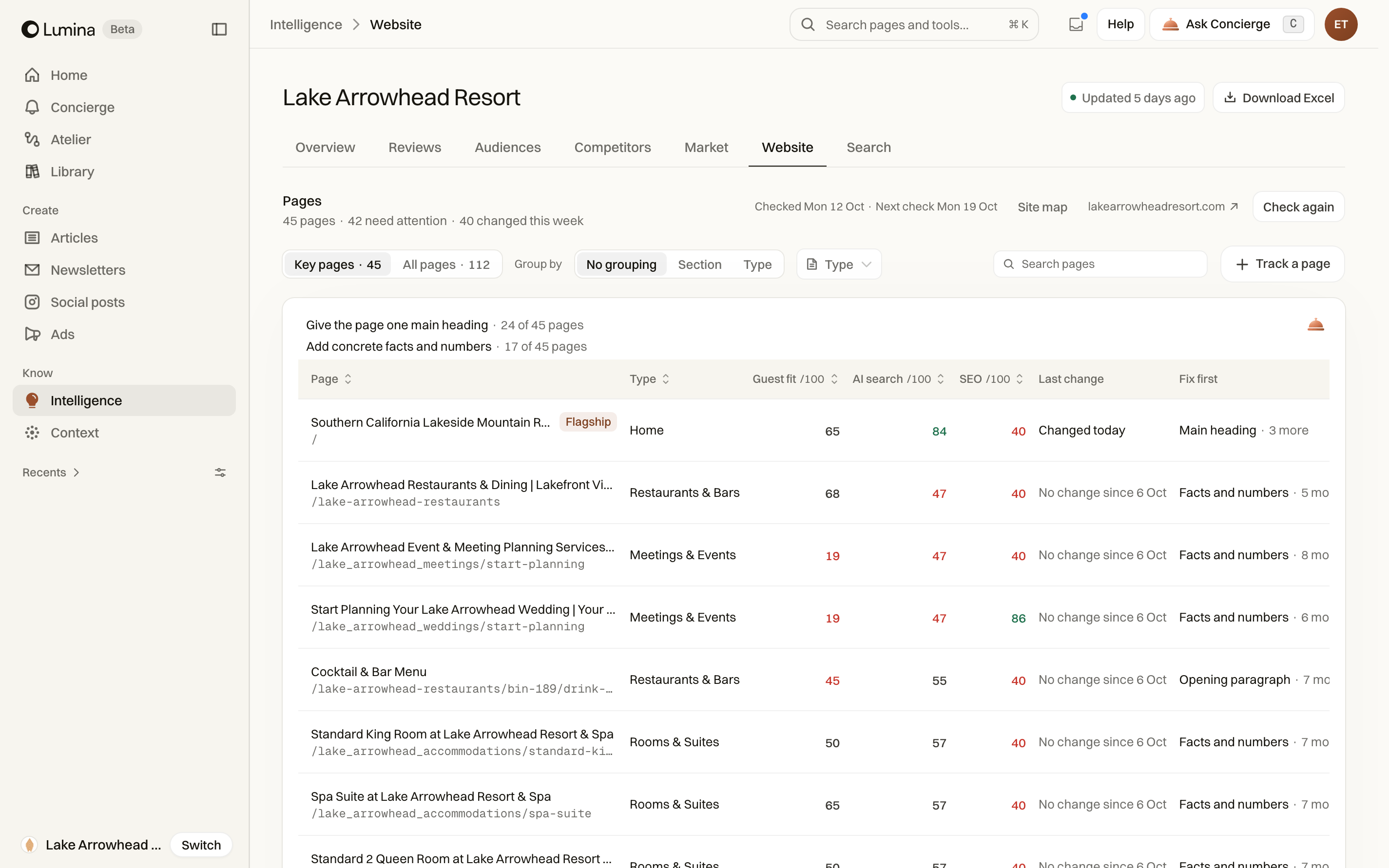
Website analysis connects findings to individual pages. Open a page detail to inspect its current content and the available analysis. The page detail is the place to work from when a general website observation needs a specific next step.
Follow changes to your website
The website audit keeps readings over time so you can return to a page and compare what has changed. Check the date of a reading before using it to decide what to fix.
Use Check again when you need a fresh check. To include another page, open the tracking controls, enter its URL and choose Track. The page joins the next check; Track does not immediately read it. Pages you stop tracking can be brought back later.
Request an improvement
- Find the relevant page in Website.
- Open its detail and read the source content.
- Choose Fix this page where available.
- State what should change and preserve any factual constraints from the existing page.
- Review the resulting content and its links before exporting it.
A revision still needs publication
An improvement request creates or edits content in Lumina. It does not by itself replace the page on your live website. Use the export route available for the piece, then complete publication in your website system.
Research findings are tied to the captured source. If the website has changed since collection, check the current page before acting.
Download the whole audit
Choose Download Excel to take the findings into a meeting or share them with your website team. The workbook covers the whole audit, even if you have filtered the table on screen.
It includes the summary, individual pages, suggested fixes, guest fit and pages left out of tracking. When historical readings are available, the workbook also includes the weekly and page history. An export cannot include readings that have not been collected.
Common questions
Does Fix this page change my live website?
It helps you create or revise content in Lumina. Review the result, then use the relevant export and website publishing process to update the live page.
Does Download Excel export only the filtered pages?
No. It exports the whole audit. Filter the workbook itself if you need a smaller view.
Can I compare this week with an earlier check?
Use the available history to compare readings over time. Historical sheets appear in the Excel export when those readings exist.