
Find out what guests say



Read the original guest reviews behind a theme before using it in your hotel marketing.
A review score can tell you that guests like the rooms. The written reviews can tell you why: perhaps the beds, the view or the quiet. Lumina groups the reviews so you can investigate those details and read what guests actually said.
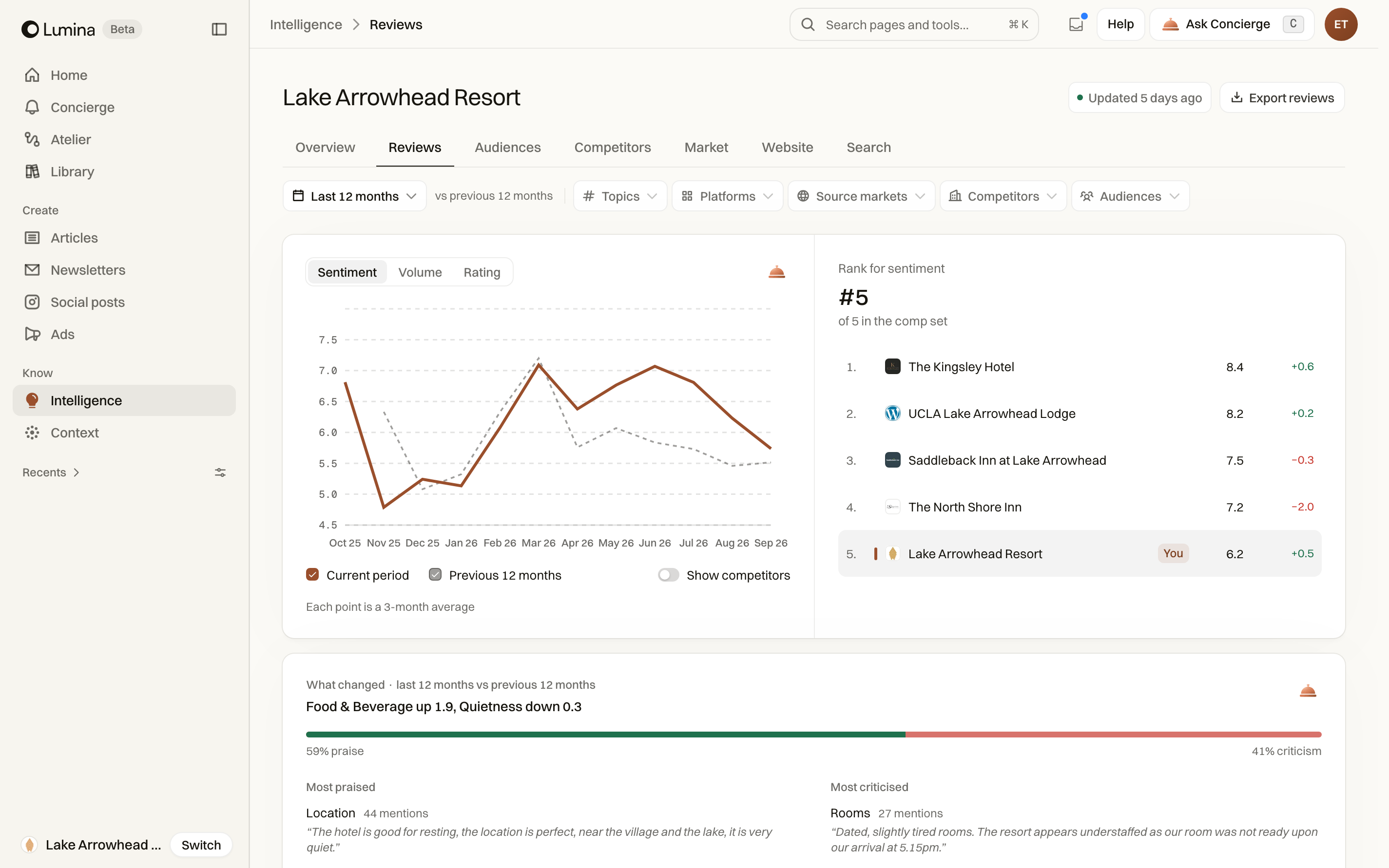
In Lumina Open Intelligence and choose Reviews.
On this page
Find the detail behind a review theme
Reviews groups guest feedback into themes and subtopics. Open a theme to inspect its original reviews, then choose a subtopic to narrow the evidence. This is useful when a broad label such as Rooms hides several different issues.
For example, a room theme can include the bed, the view, noise and bathroom amenities. Read the relevant subtopic before deciding which detail belongs in your content.
Inspect a review set
- Select the period and filters in Intelligence.
- Open the theme you want to investigate.
- Choose a subtopic, or keep the full theme selected.
- Use the review explorer’s search, rating, language and sort controls to refine the displayed records.
- Read the original text and source. Load further reviews when available.
Export or ask a follow-up
Use Export reviews in the explorer to download the selected review set. The export follows the current scope; it is not a download of every review ever collected for the hotel.
Use the contextual Concierge action to ask what the evidence means for your next piece. Check the underlying reviews when the answer summarises a pattern.
Compare like with like
When comparing time periods or competitors, keep the chosen theme and filters in mind. A change in the review mix can affect a summary. Missing data is not a zero score.
Common questions
Can I read the original review?
Yes. Open a theme or subtopic in the review explorer and read the original guest text. You can narrow the selection with the available search and filters.
Can I download the reviews I selected?
Use Export reviews in the explorer. It downloads the current selection, so check the filters before exporting.