
Let routines work for you





Set work that Lumina repeats on the days you choose, run it now, change it, and read the Monday email from the team.
Some work is the same every week: which nights to fill, how competitors' prices moved, which events are worth a campaign. A routine does that work on its own, on the day and time you choose, and reports what it found. It stays quiet when there is nothing new.
In Lumina Choose Scheduled in the sidebar.
On this page
Start a routine
When nothing is scheduled, Scheduled offers four routines to start from. Choosing one writes the sentence for you in a conversation; change the day, time or detail, and send it.
| Item | What it means |
|---|---|
| Nights to fill | Every Monday, the nights you are behind on and what to do first. |
| Competitors' prices | Every Monday, how nearby hotels' rates moved and what it means. |
| Events to use | Every Monday, the events in the next six weeks worth a campaign. |
| Report for the GM | On the 1st, the month in reviews, demand and competitors. |
Make your own
Choose New scheduled task, or tell the team in any conversation what to do and when. Name the day and the time, for example: every Monday at 07:00, list the reviews that mention breakfast and suggest what to answer. Times follow your hotel's time zone.
Run, change, pause or end
A routine never runs twice at the same time. If its last run is still working, the next one waits.
| Item | What it means |
|---|---|
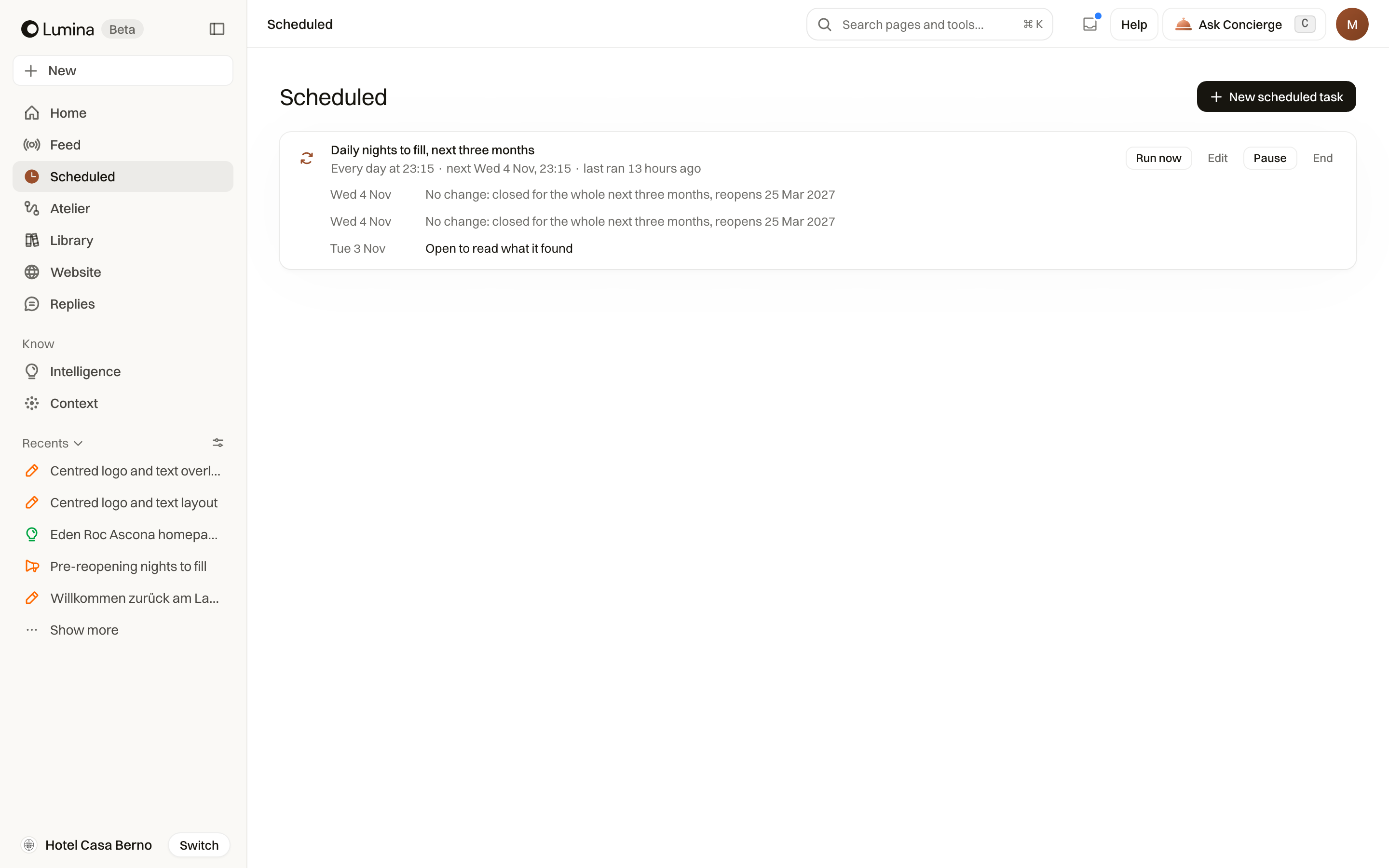
| Run now | Runs the routine at once. Its schedule stays the same. |
| Edit | Opens a conversation where you say what to change: the task, the name or when it runs. |
| Pause and Resume | Stop the routine for a while, then start it again. |
| End | Stops the routine for good. |
Read what it found
Each run is listed under its routine, in a line that says what it found. A run with nothing new says so. When a run has something new you have not opened, Scheduled shows a dot in the sidebar, and the newest report also appears on Home, under To review. Lumina emails you only when a run finds something worth your attention.
Your week from the team
Your week from the team is a short email on Monday morning, in your hotel's time zone. It lists what is waiting for you in To review, the nights to fill, review replies waiting in Replies, the first ideas in the Feed, what to publish this week and what the team finished in the last seven days.
It is sent only when something needs you; a quiet week sends nothing. Each email has a link to stop it for that hotel. The email is new and not yet switched on for every workspace; if you would like it, ask the Lumina team.
Common questions
Does a routine publish or send anything?
No. A routine researches and prepares; it reports to you in Scheduled and, when it finds something worth your attention, by email. Anything it drafts waits for your review.
Can a routine reply to reviews?
Use Replies for that: it already watches new reviews and prepares replies. Scheduled does not offer a separate routine for it.
How do I stop the Monday email?
Use the stop link at the bottom of the email. It stops that hotel's email for you only; everything stays in Lumina.